Shared guide
Settings: size, quality & format
The options under AI Instructions, and what each one is for.
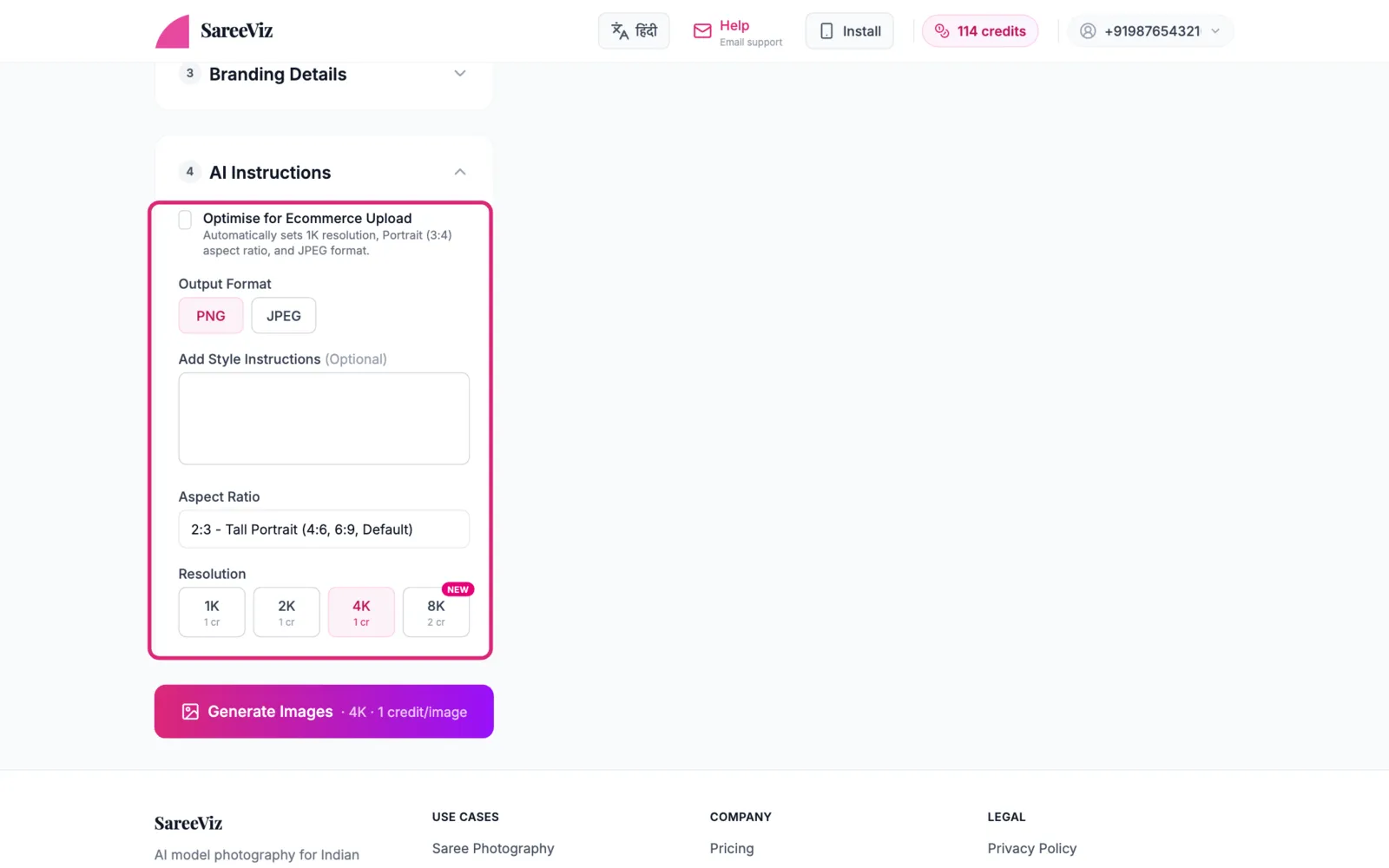
Optimise for Ecommerce Upload
One tick that sets 1K resolution, Portrait 3:4 and JPEG, and locks them. A 1K 3:4 photo is 896 x 1200 pixels, which is below the minimum size Myntra, Amazon and Flipkart publish.
Selling on Myntra, Amazon, Flipkart or Meesho? Pick it under Marketplace instead. It sets the output for you, at a size that marketplace accepts, plus the poses, background and model: Marketplace presets.
Output Format
PNG (the default) or JPEG. The ecommerce tick and every marketplace preset switch it to JPEG.
Aspect ratio
- 2:3 Tall Portrait: the default; standard catalogue shape, prints as 4×6
- 3:4 Portrait: the shape the marketplace presets use
- 9:16: WhatsApp status and reels
- 1:1 / 4:5: Instagram feed
- 4:3 Landscape / 5:4 Instagram Landscape: wider than tall
- 16:9 / 3:2: banners and website headers
Picking jewellery switches the shape to 3:4.
Resolution
Each tier has its own price per photo, shown under its button:
| Resolution | Credits per photo | Good for |
|---|---|---|
| 1K | 1 | WhatsApp and Meesho |
| 2K | 1.5 | Myntra, Amazon and Flipkart listings |
| 4K (default) | 2 | Zoomable website images |
| 8K | 2.5 |
The Generate Images button shows the resolution and the total cost before you tap. A failed photo is never charged.
Add Style Instructions
A free-text box for anything specific: “model should smile”, “evening light”, “show the border clearly”. Keep it to one or two short lines. It overrides other settings, so only write what you really want enforced.