AI Innerwear Photography for your catalogue
Vests, bras, briefs and nightwear, on a model, from one flat photo.
Supported apparels
- • Sarees
- • Lehengas
- • Men's Kurtas
- • Kurtis
- • Salwar suits
- • Men's Dress
- • Women's Dresses
- • Stoles/Shawls
- • Men's Innerwear
- • Women's Innerwear
- • Jewelry
Try for FREE
The category nobody can photograph
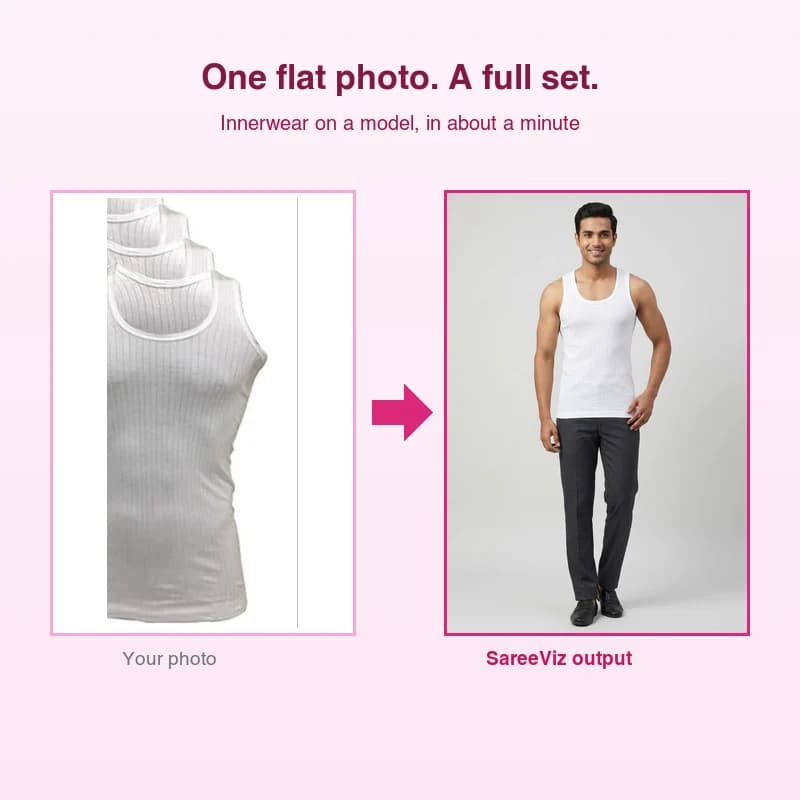
Innerwear is the hardest thing in a catalogue to shoot. Fewer models take the work, studios charge a premium for it, and a booking is hard to justify for one new colourway. So the listings end up as flat photos of the packet, and the buyer never sees how the garment sits.
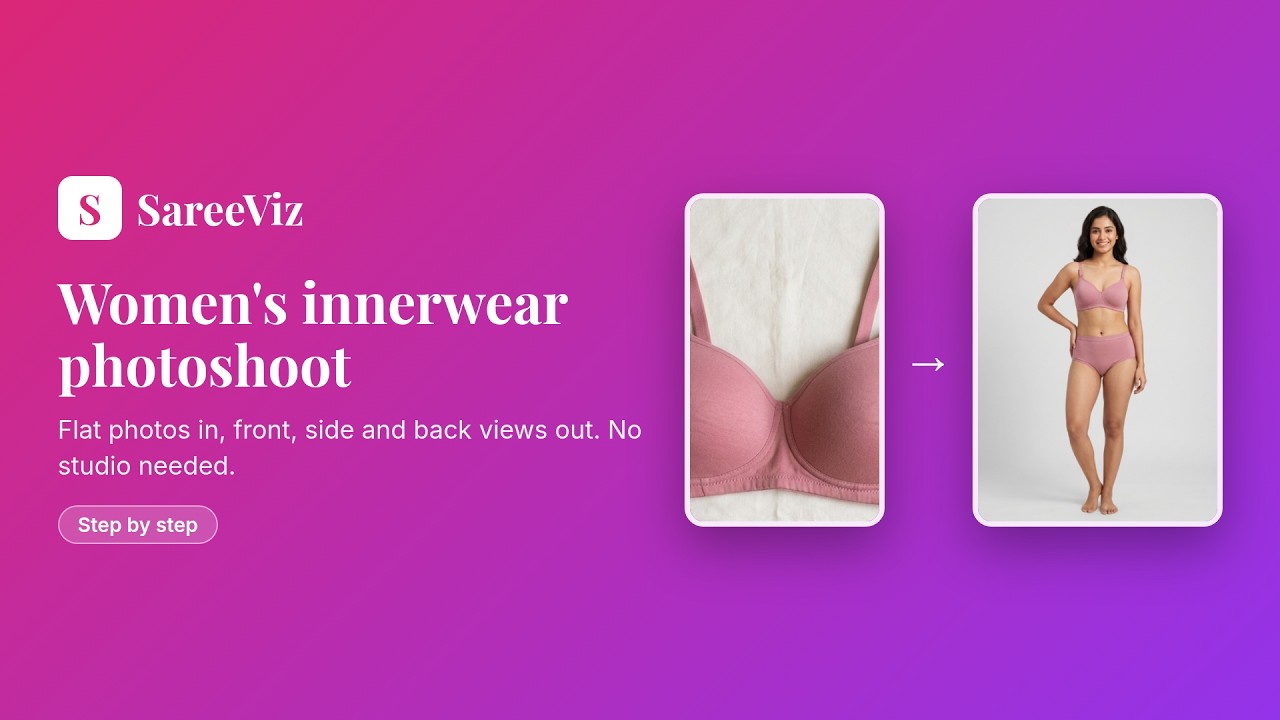
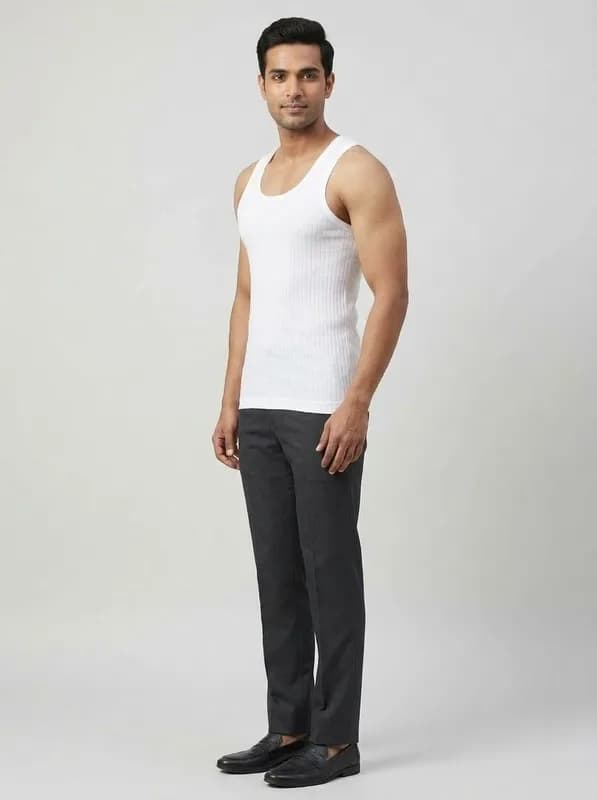
This route skips the booking. Photograph the vest or the bra flat, the way you already do for the listing, upload it, and get it back on a model in about a minute. The design, the colour and the fabric stay the ones you photographed.
Sold as a set, photographed as a set

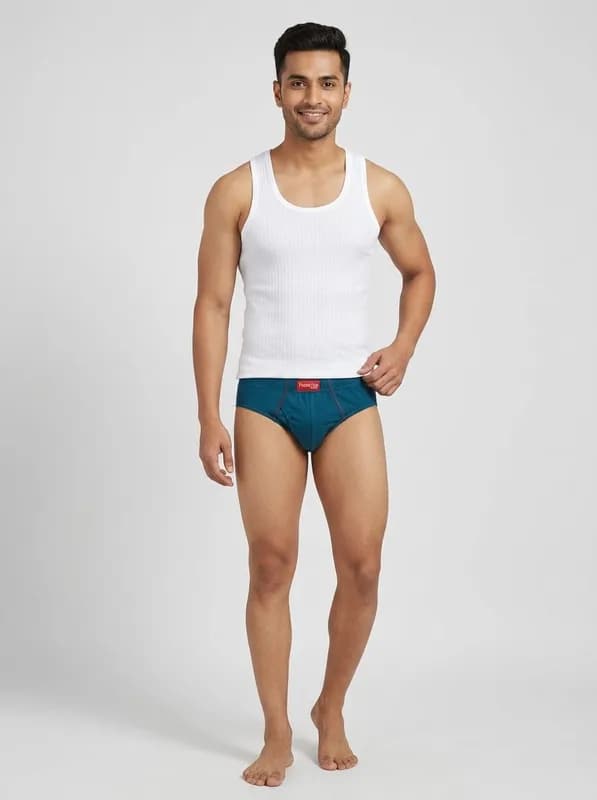
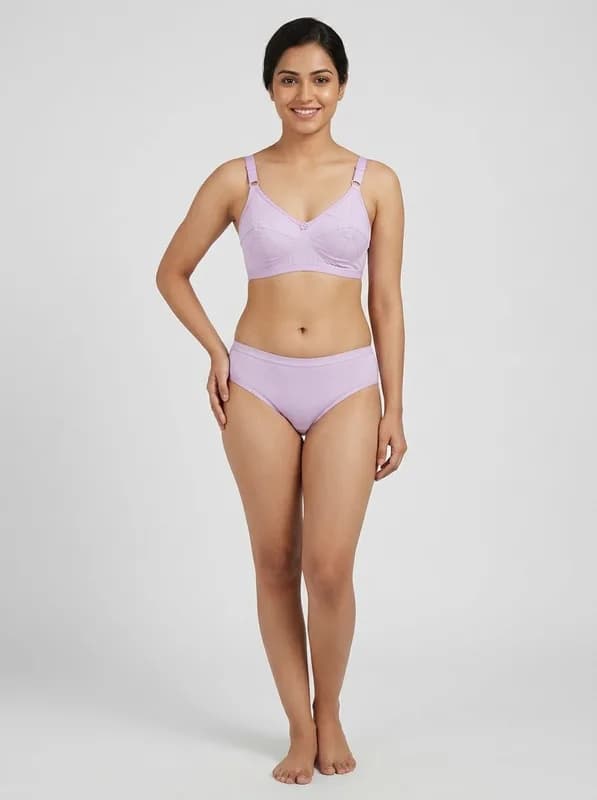
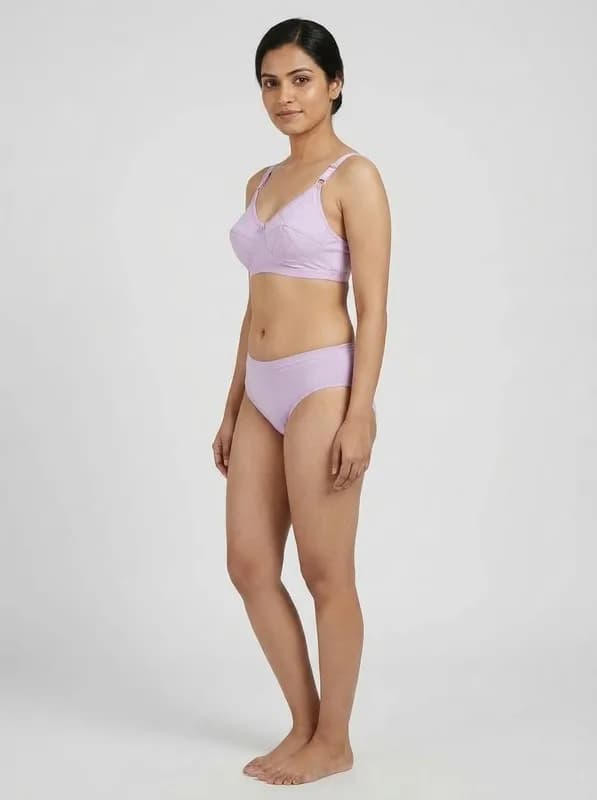
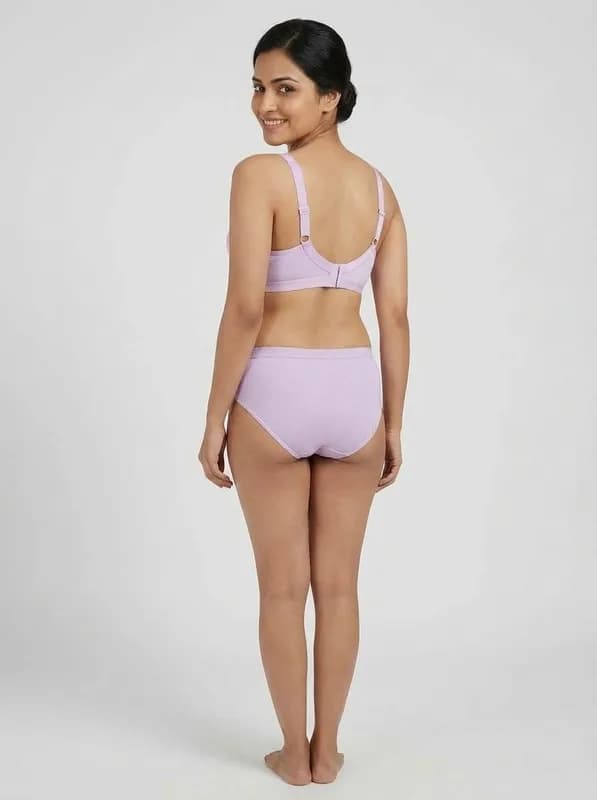
Innerwear has its own Bottom Design slot, so the brief or the panty is a second upload rather than something the model invents. Upload both and both are worn together, each keeping the colour and design of its own photo.
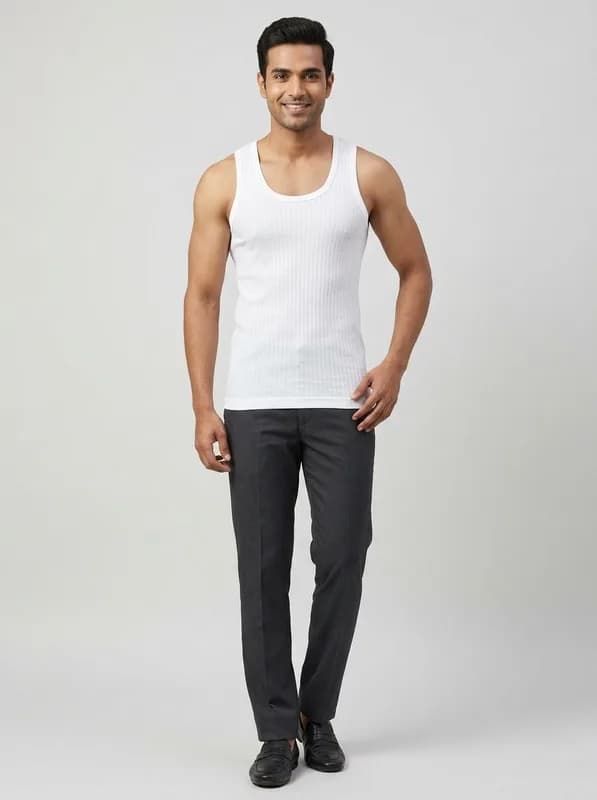
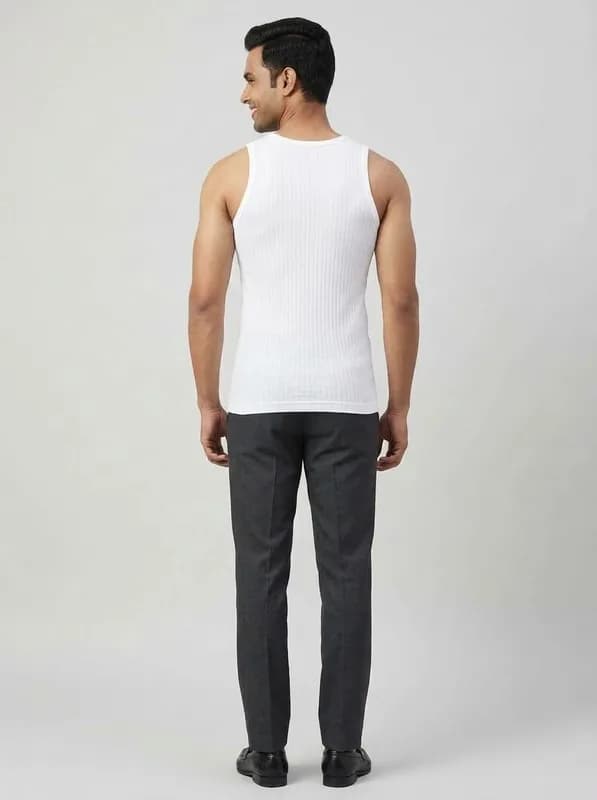
Upload only the top piece and the rest of the outfit is plain and unbranded: a vest is worn with plain dark trousers, the way men’s vests are actually listed in India, and a bra with plain briefs in its own colour.
One photo in, a full set out
Front, side and back, the three views Myntra and Flipkart require. Every photo below came from a single flat product photo, with nothing retouched afterwards.
Built for the marketplace rules
Pick Myntra, Amazon, Flipkart or Meesho and the poses, background, model and output size are set to what that marketplace publishes, then locked so every photo in the set matches. The marketplace guide sets out what each one asks for and exactly what the preset sets.
Amazon is the only one of the four with an image rule specific to intimates: it recommends a square image for underwear, so innerwear on the Amazon preset comes out square.
If you sell other categories too, the ecommerce photography page linked below covers the same flow for the rest of the catalogue, and sarees have their own page.
Related pages
- Ecommerce photography: the same flow for the rest of your catalogue
Questions sellers ask
What do I upload?
One clear photo of the garment laid flat, the same kind of photo you would put on a listing. A vest, a bra, a brief, a camisole or a nightwear top all work. Phone camera in daylight is enough. Keep the whole garment in frame and the background plain.
Can I upload the brief or panty separately?
Yes. Innerwear has its own Bottom Design slot, because the category is sold as a set. Upload the vest and the brief, or the bra and the panty, and both are worn together by the same model in the same photo. The colour and design of each come from the photo you uploaded for it.
What does the model wear if I only upload one piece?
The rest of the outfit is plain and unbranded, and the lower body is never left unclothed. A vest, undershirt or camisole is worn with plain dark trousers, which is how men’s vests are listed on Indian marketplaces. Briefs or trunks are worn with a plain white top. A bra is worn with plain briefs in the bra’s own colour.
How many photos does one design give me?
Three by default when you pick a marketplace: front, side and back. Myntra and Flipkart require exactly those three views and Meesho requires a clear front image. You can select more poses yourself if you want them.
Do the images meet marketplace rules?
Pick your marketplace and the poses, background, model and output size are set to what that marketplace publishes. Amazon is the only one with an image rule specific to intimates: it recommends a square image for underwear, so innerwear on the Amazon preset comes out square at 2K. The marketplace guide lists what each one asks for and what we set.
Are AI images allowed on innerwear listings?
Marketplaces judge listing images on their content rules, not on how the image was produced. For intimates that means the product is shown clearly, nothing is sexually suggestive, and no text or watermark sits on the image. The presets set the poses, background and size, but they leave branding as you set it, so switch off your own logo or watermark before you generate a marketplace set.
Why not just book a photoshoot?
Because intimates are the hardest category to book. Fewer models take the work, studios charge more for it, and a repeat shoot for one new colourway is rarely worth the booking. That is why so many innerwear listings on Indian marketplaces are flat photos of the packet rather than the garment on a person.
Simple, credit‑based pricing
₹100 + GST$1.15
10 credits
₹500 + GST$5.75
50 credits
₹1,000 + GST$11.50
100 credits
₹5,000 + GST$57.50
515 credits
15 bonus credits
₹10,000 + GST$115.00
1,030 credits
30 bonus credits
₹20,000 + GST$230.00
2,075 credits
75 bonus credits
Credits expire 90 days from the date of purchase. See Terms.
Every resolution, video rate and credit pack is set out in one place. See full pricing.
Guides
Learn how to get the best results
Step-by-step guides for every garment: what each upload slot controls, how to prepare your design photo, and how to fix a result that does not look right.