Guide · Jewelry
Jewelry photoshoot guide
Show your piece worn by a model, or on a clean display bust.
This page is the how-to. For what AI jewellery photography produces and what it costs, start there and come back here to upload.
1
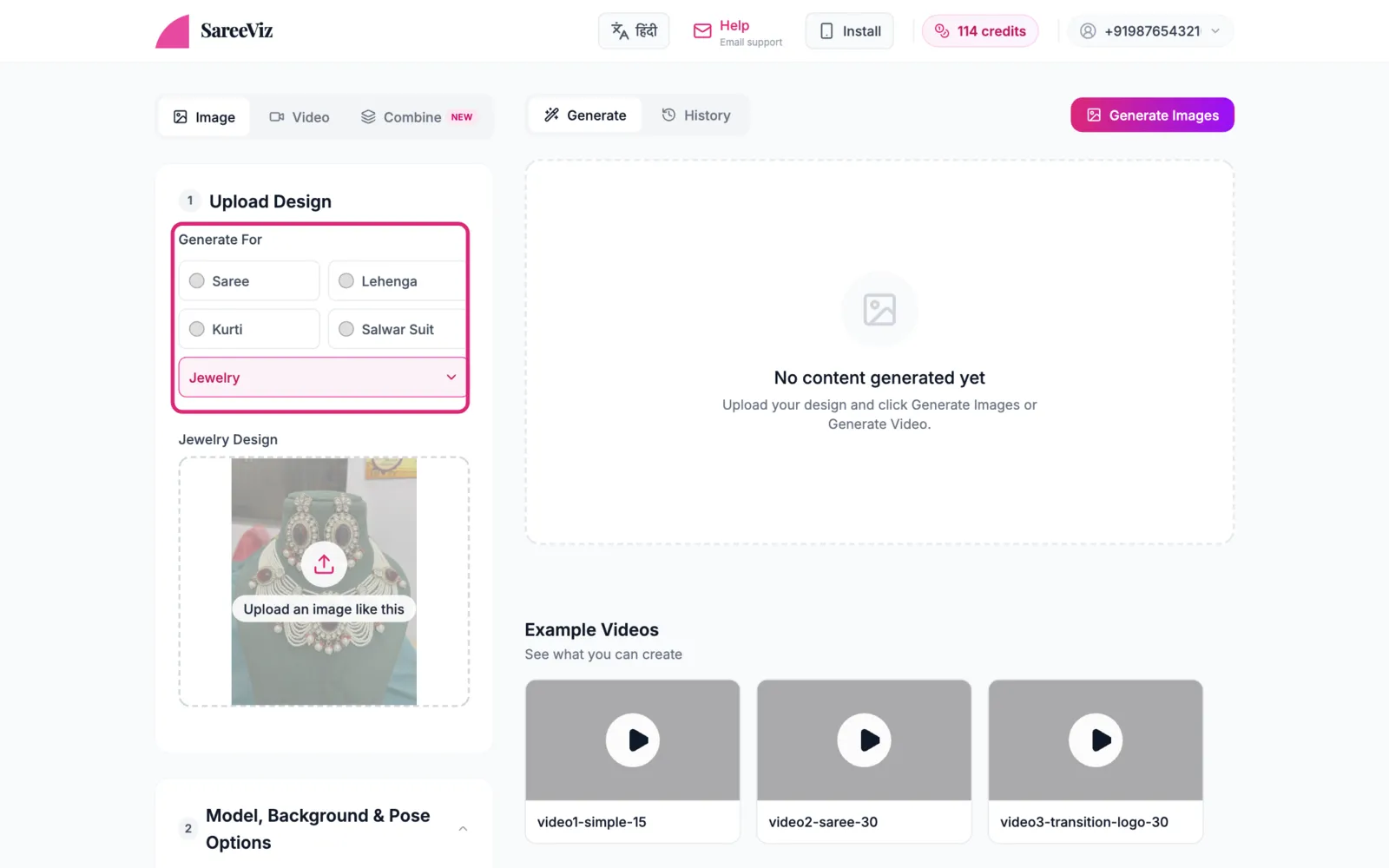
Choose “Jewelry” and upload
Pick Jewelry under More, then add a clear photo of the piece in Jewelry Design.
2
Model or bust?
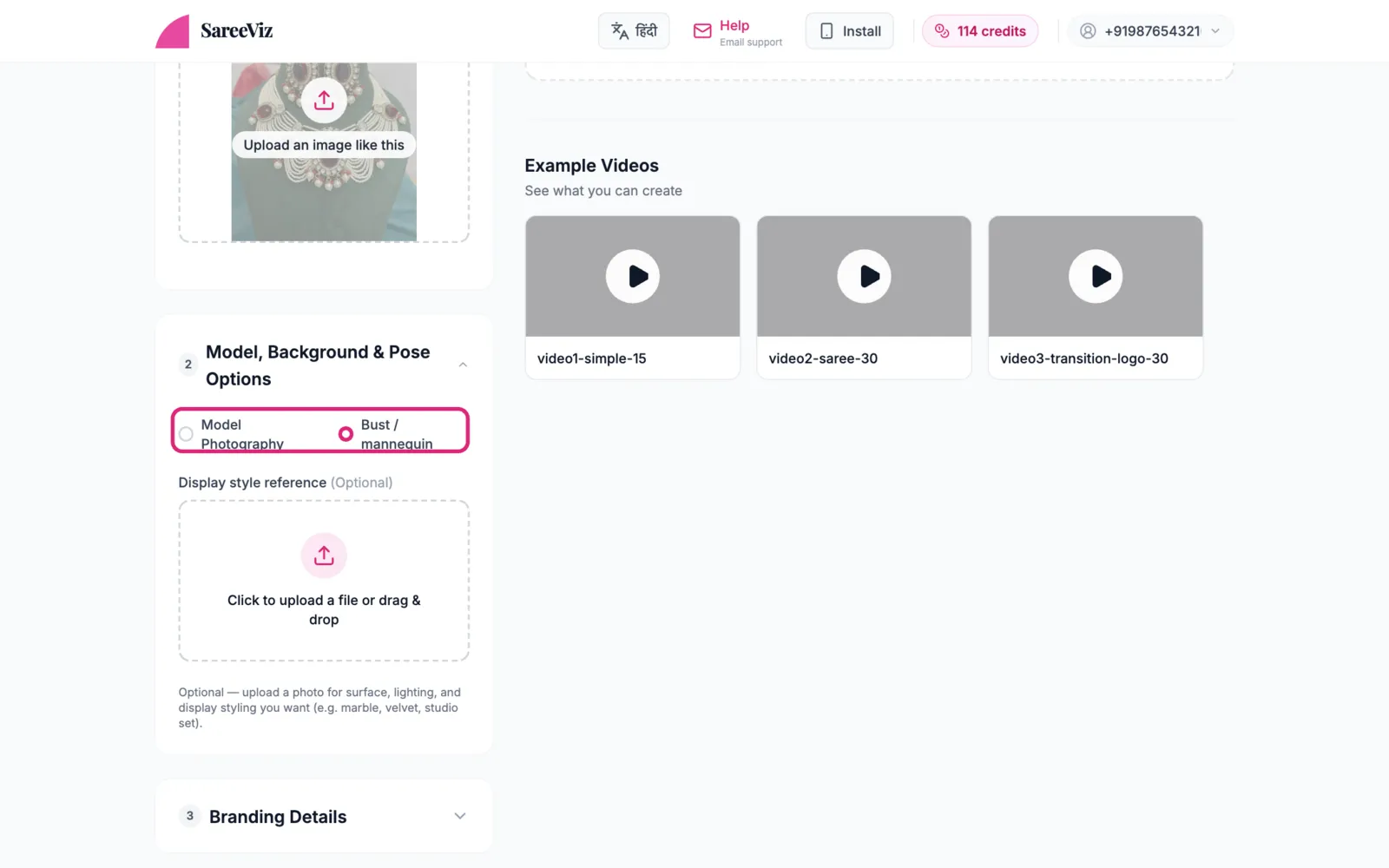
Under Model, Background & Pose Options, choose:
- Model Photography: the piece worn by a model. Model, background and pose options apply as usual.
- Bust / mannequin: a clean product shot on a display form. The model, background and pose options are hidden here; instead you can add a Display style reference (marble, velvet, a studio set) for the surface and lighting you want.
3
Everything else
Settings · Branding · Fixing a result
Looking for pose options in bust mode
Bust / mannequin is a product shot. There is no model, so the model, background and pose options are hidden on purpose. Switch to Model Photography if you want the piece worn.