Amazon Product Photography for clothing, from one phone photo
A pure white main image on a standing model, plus four more views, ready for your Amazon listing.
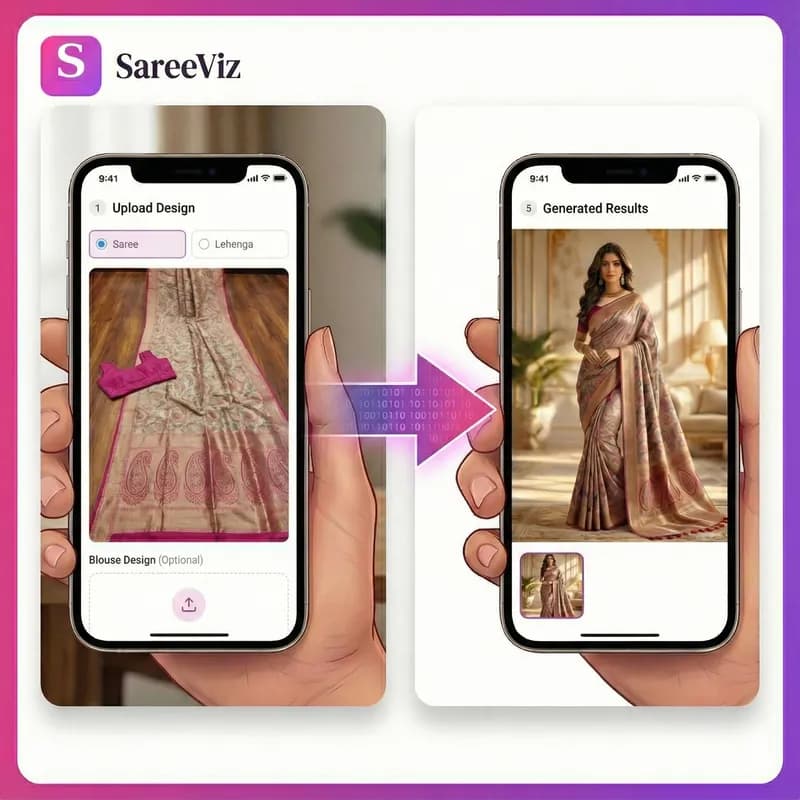
Supported apparels
- • Sarees
- • Lehengas
- • Men's Kurtas
- • Kurtis
- • Salwar suits
- • Men's Dress
- • Women's Dresses
- • Stoles/Shawls
- • Men's Innerwear
- • Women's Innerwear
- • Jewelry
Try for FREE
Amazon product photography for clothing follows a detailed set of rules that Amazon publishes itself. The main image must be on pure white, adult clothing must be shown on a model, and Amazon wants five to seven photos of every product. SareeViz makes the whole set from one phone photo of your design: 5 on-model photos on a pure white background, at a size that clears Amazon’s zoom rules, for 7.5 credits a design.
Amazon’s image rules for clothing
These are from Amazon’s own Seller Imaging Guide for Clothing and Accessories (Spring 2021), except where another Amazon source is linked. The guide warns that failing the main image rules may get your ASIN removed from search.
| Main image background | Pure white, RGB 255, 255, 255 (hex #FFFFFF) |
| Main image fill | A single product filling at least 85% of the image area |
| Model | All adult apparel on a model; kids, baby, accessories and sets off-model |
| Pose | No kneeling, leaning or lying down on the main image |
| Not allowed on the main image | Props not included with the purchase, visible mannequins, ghost mannequins, promotional text, logos or other graphics, grey backgrounds |
| Number of photos | A minimum of five and a maximum of seven: the main image plus up to six alternates |
| Size | At least 1,600 px tall, no more than 10,000 px on the longest side. Amazon’s general rules prefer more than 1,000 px on the longest side for zoom |
| File format | JPEG preferred |
| AI-generated people | Tag the file with contains-synthetic-performer before upload (announcement; mandatory since 6 June 2026 per an Amazon staff reply) |
Amazon’s published guides do not all give the same pixel minimum, so the sensible move is to clear the strictest one. Our notes for the preset record 1,500 px on the longest side; the clothing guide above asks for 1,600 px tall. The preset’s 2K portrait output is 1792 x 2400 px, above both.
AI model photos on Amazon: tag them first
In a Seller Central announcement, Amazon says product images that contain photorealistic AI-generated people must be tagged with metadata before you add them to listings in any of its stores. The tag is the keyword “contains-synthetic-performer” in the dc:subject (XMP) field, added with an IPTC-compatible metadata editor, and Amazon then shows shoppers an indicator that the image includes AI-generated people. An Amazon staff reply adds that compliance has been mandatory since 6 June 2026, that older images should be tagged too, and that non-compliance could lead to ASIN removal.
Every model in a SareeViz photo is AI-generated, so this applies to all of them. Images you download do not carry the tag yet, so add it to each file before you upload it to Amazon.
The Amazon set SareeViz makes from one photo
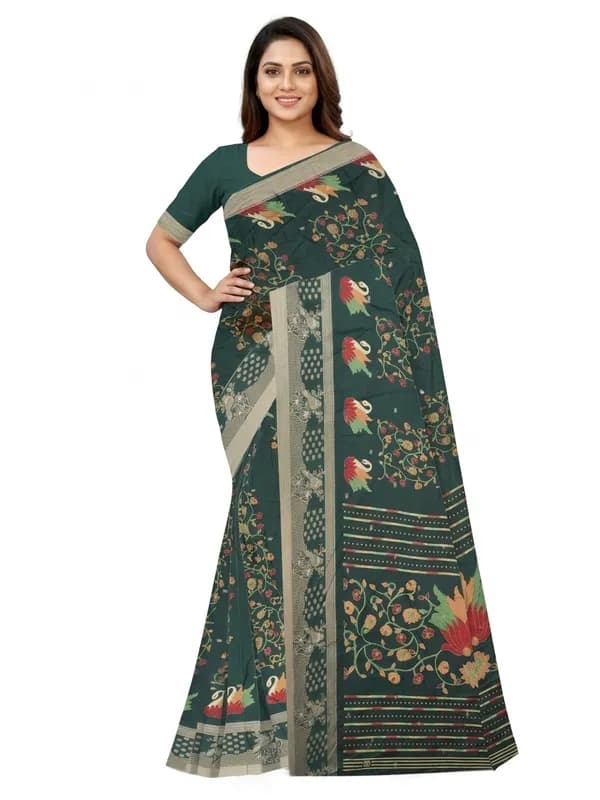
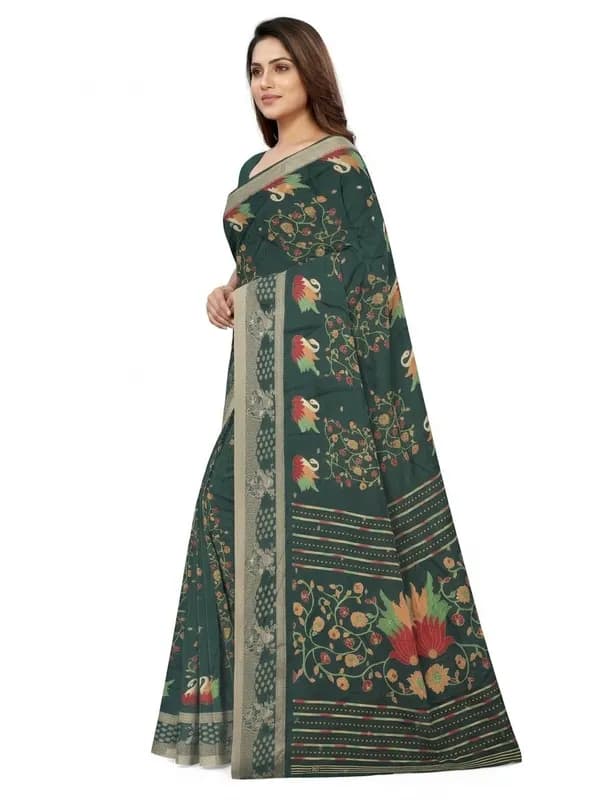
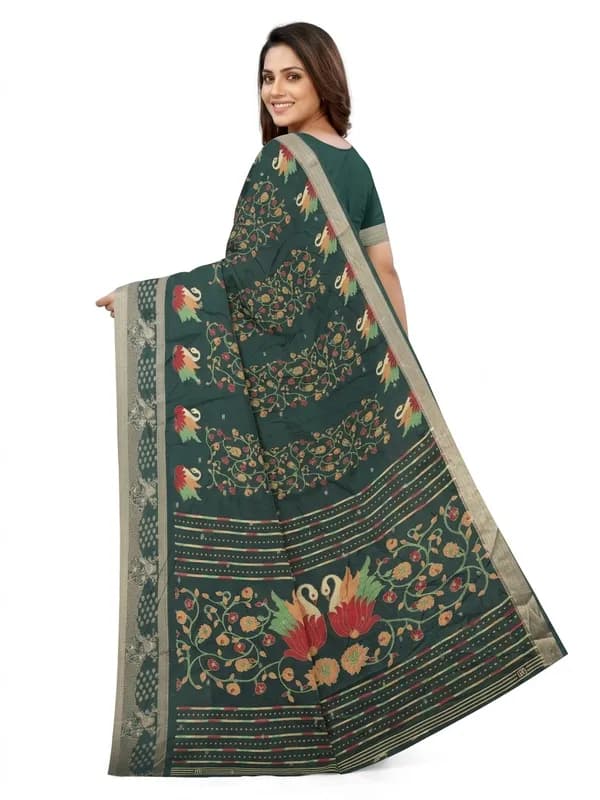
One saree photo in, five photos out, all on the same model. These came straight from the Amazon preset with nothing retouched afterwards.
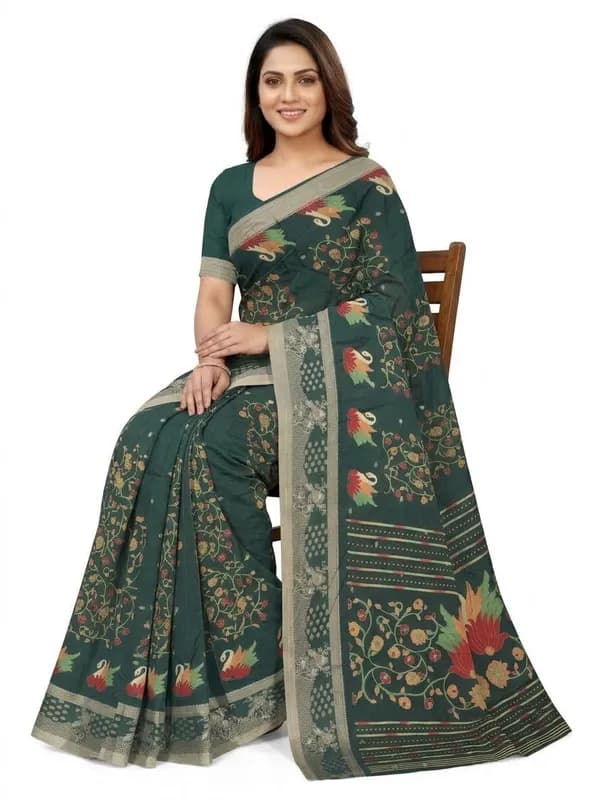
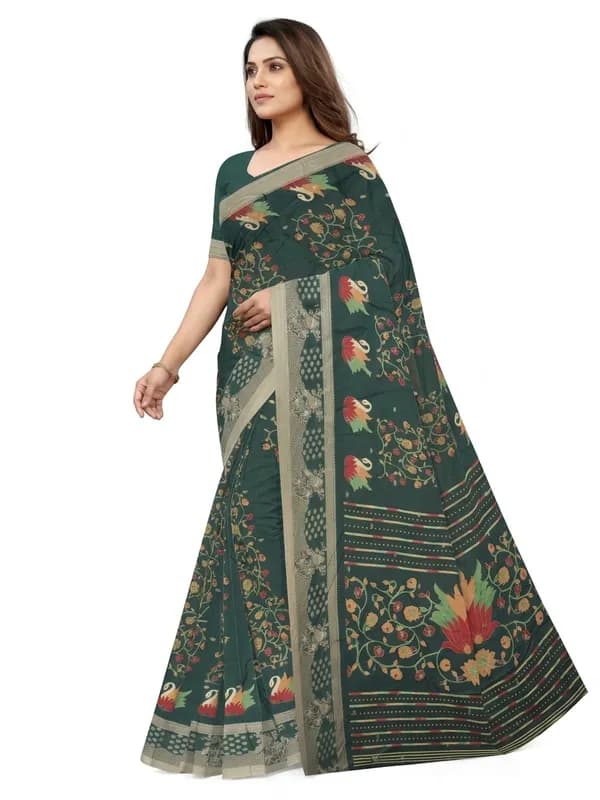
How the Amazon preset handles each rule
| Amazon asks for | What the preset does |
|---|---|
| Pure white main image | Pure White Studio background on every photo |
| Adult apparel on a standing model | Indian Model, or your own model photo; Front Standing is made first and is your main image |
| Five to seven photos | 5 poses: Front Standing, Left Profile, Back View, Seated, Candid Stroll |
| 1,600 px tall, zoom-ready | 2K, portrait 3:4, 1792 x 2400 px |
| JPEG preferred | JPEG |
| No logo or text on the main image | Not set by the preset: switch off branding before you generate |
| Product fills 85% of the frame | Full-length framing; check the main photo and crop if the garment fills less |
| AI-generated people tagged | Not done for you yet: tag each file before upload |
Seated and Candid Stroll are for the alternate slots, not the main image, where Amazon’s standing rule applies. For innerwear, Amazon recommends a square photo, so the preset switches to 3 views at 2K square. The full rule-by-rule list is in the Amazon image requirements guide.
How to make Amazon product photos, step by step
- 1
Photograph the design on your phone
Laid flat or hanging straight, in daylight, with only the garment in the frame. For a saree, take the blouse piece as a second photo. The photo prep guide has the rules.
- 2
Upload it and pick Amazon
Upload the photo in section 1, open Marketplace in section 2 and pick Amazon. The five poses, the pure white background, the model and the 2K JPEG output are set and locked. The preset leaves your branding setting alone, so switch off any logo or watermark: Amazon does not allow one on the main image.
- 3
Generate and check each photo
About a minute per photo. Check the print, border and colour against the real garment, and check that the garment fills most of the main photo. The fixing a result guide covers the usual problems.
- 4
Tag the files, then upload
Add the keyword contains-synthetic-performer to each file’s dc:subject (XMP) metadata with an IPTC-compatible metadata editor. Images downloaded from SareeViz do not carry this tag yet. Then upload Front Standing as the MAIN image and the rest as alternates.
What an Amazon photoshoot costs here
A 2K photo is 1.5 credits, so the full Amazon set of 5 is 7.5 credits, which is ₹75 plus 18% GST7.5 credits per design. Credits are only taken for photos that generate successfully. A new account starts with 5 free credits, enough for 3 photos at 2K to try it on one design. There is no subscription; the pricing page lists every credit pack.
If you are comparing this with a studio quote, our guide to product photography cost in India collects published studio rate cards and prices a 50-design catalogue both ways. Selling on Meesho as well? The Meesho product photography page covers its much shorter list of rules, and the ecommerce photography page covers the rest. For sarees in particular, the saree photography page shows how the blouse piece is draped with the saree as one outfit.
Questions Amazon sellers ask
What are Amazon's main image requirements for clothing?
Amazon's Seller Imaging Guide for Clothing and Accessories says the main image must have a pure white background (RGB 255, 255, 255), show a single product filling at least 85% of the image, and show adult apparel on a model. The model must not be kneeling, leaning or lying down, and the main image must not contain props, promotional text, logos, visible mannequins or ghost mannequins.
Can I use AI model photos on Amazon?
Yes, with a tag. Amazon now requires images with photorealistic AI-generated people to carry the keyword "contains-synthetic-performer" in the dc:subject (XMP) metadata field, added with an IPTC-compatible metadata editor before upload. An Amazon staff reply on Seller Central says compliance has been mandatory since 6 June 2026. Amazon then shows shoppers an indicator that the image includes AI-generated people.
How many photos does Amazon want for a clothing product?
Amazon's clothing imaging guide asks for a minimum of five and a maximum of seven images per product: the main image plus up to six alternates. The Amazon preset makes 5: Front Standing, Left Profile, Back View, Seated, Candid Stroll.
What image size does Amazon need for clothing?
Amazon's clothing imaging guide asks for images at least 1,600 pixels tall and no more than 10,000 pixels on the longest side, and Amazon's general rules prefer more than 1,000 pixels on the longest side for zoom. The Amazon preset outputs 2K portrait 3:4, which is 1792 x 2400 pixels, so it clears both.
Are ghost mannequin photos allowed on Amazon?
Not on the main image for adult clothing. Amazon's clothing imaging guide lists ghost mannequins and visible mannequins among the things a main image must not contain. They can go in the alternate image slots.
Does the Amazon preset work for innerwear?
Yes. Amazon recommends a square photo for underwear, so for innerwear the Amazon preset makes 3 views (front, side and back) at 2K square instead of 3:4 portrait.
Simple, credit‑based pricing
₹100 + GST$1.15₹139 incl. GST
10 credits
₹500 + GST$5.75₹694 incl. GST
50 credits
₹1,000 + GST$11.50₹1,388 incl. GST
100 credits
₹5,000 + GST$57.50₹6,939 incl. GST
515 credits
15 bonus credits
₹10,000 + GST$115.00₹13,877 incl. GST
1,030 credits
30 bonus credits
₹20,000 + GST$230.00₹27,754 incl. GST
2,075 credits
75 bonus credits
Credits expire 90 days from the date of purchase. See Terms.
Every resolution, video rate and credit pack is set out in one place. See full pricing.
Guides
Learn how to get the best results
Step-by-step guides for every garment: what each upload slot controls, how to prepare your design photo, and how to fix a result that does not look right.