Guide · Lehenga
Lehenga photoshoot guide
One photo of the lehenga, plus optional choli and dupatta photos, each in its own slot.
What you need
- One clear photo of the lehenga (the skirt), cropped to the fabric
- Optional: a photo of just the choli, and one of just the dupatta
Choose “Lehenga” and upload
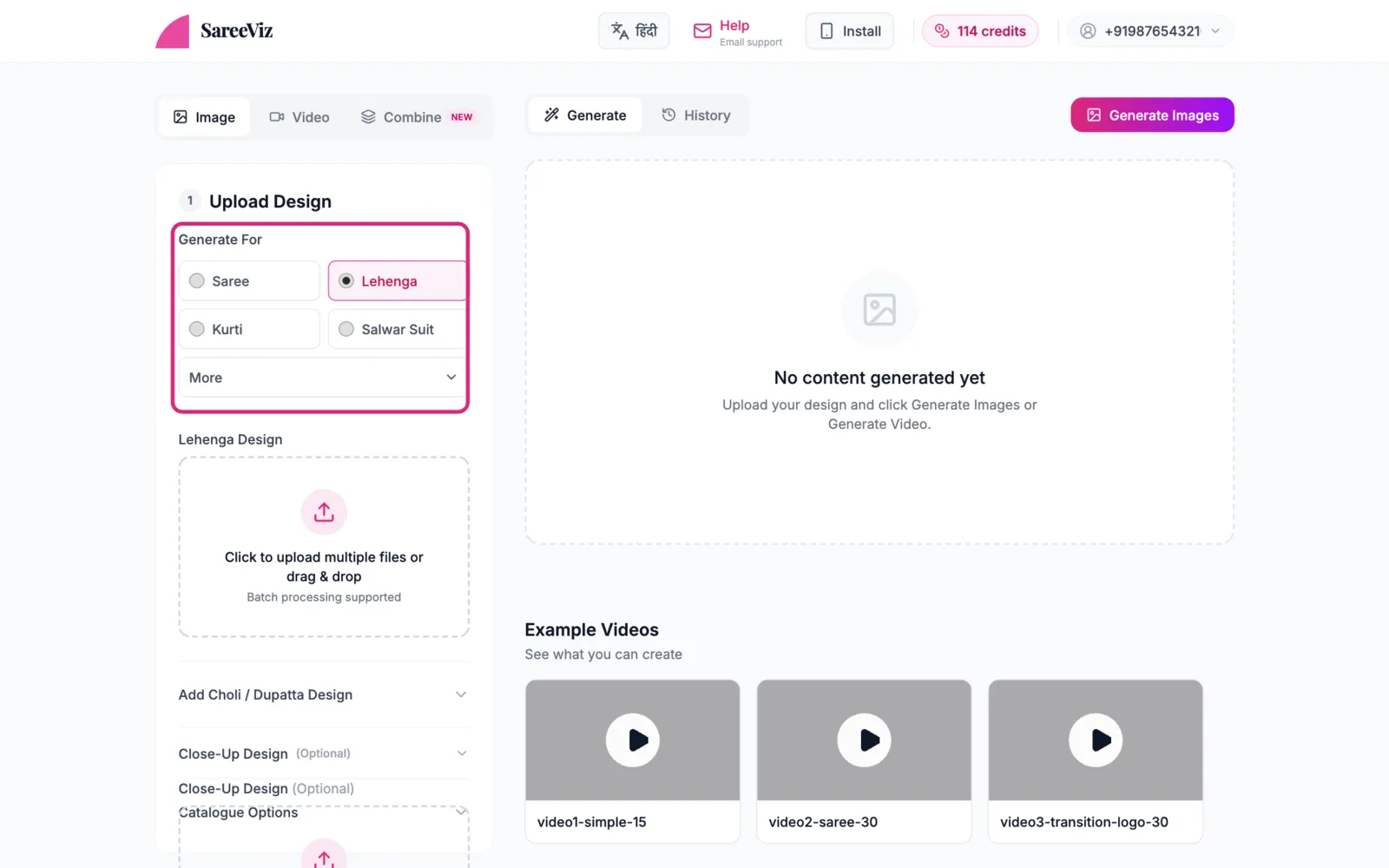
Pick Lehenga under Generate For, then add your photo in Lehenga Design. You can upload several designs at once, and each becomes its own set of photos.
Choli and dupattaoptional
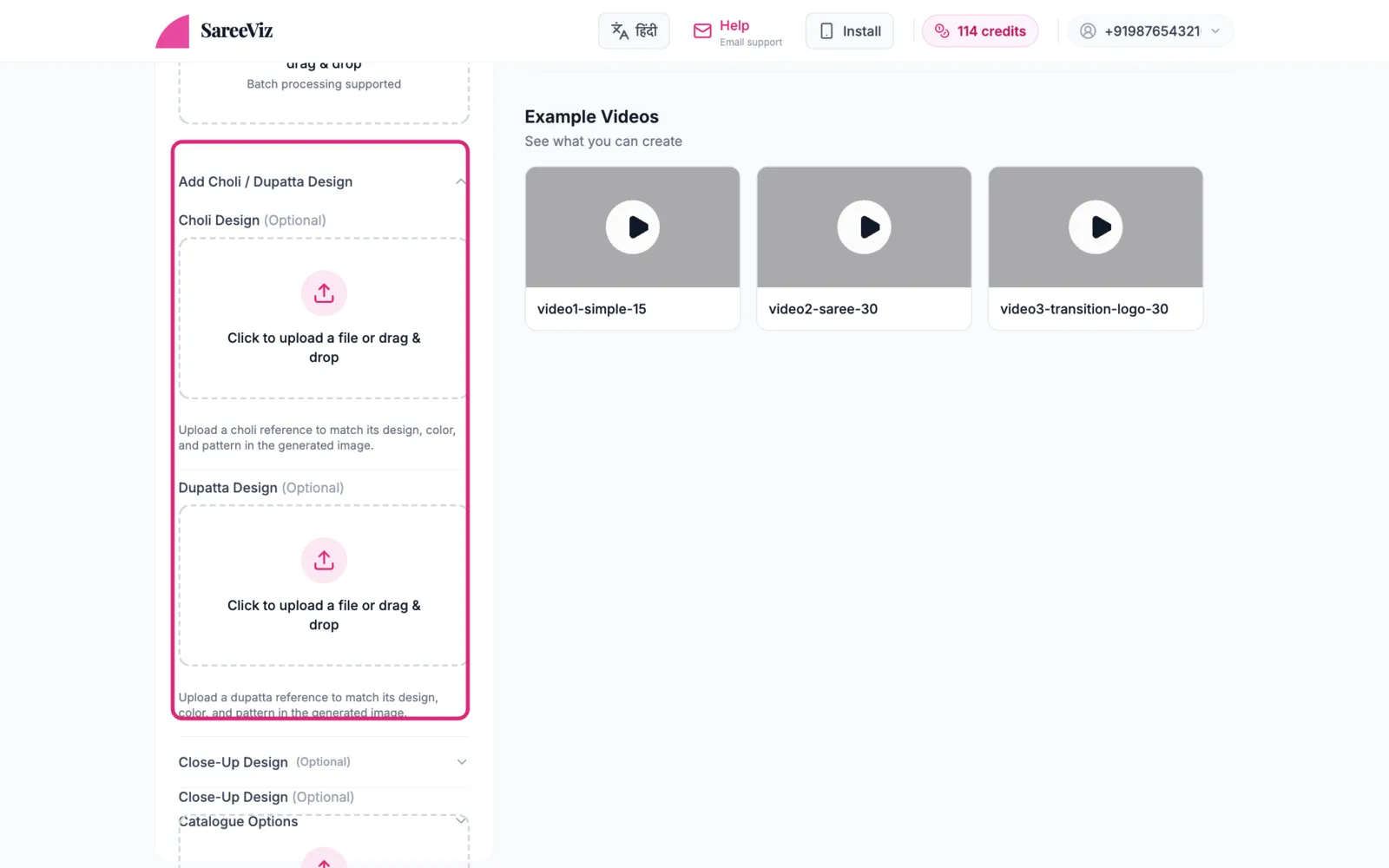
Open Add Choli / Dupatta Design. The choli photo controls only the choli; the dupatta photo controls only the dupatta. Crop each so it shows just that piece.
Everything else
Model, background & pose · Settings · Branding
One photo showing all three pieces
A single photo with lehenga + choli + dupatta together forces the AI to guess which fabric is which. Give each piece its own cropped photo in its own slot.
Shooting a whole occasion-wear collection rather than one lehenga? Our guide to AI photoshoots for clothing brands covers what each of the five ethnic garments needs and what one image costs.