Guide · Dresses
Men's & women's dress guide
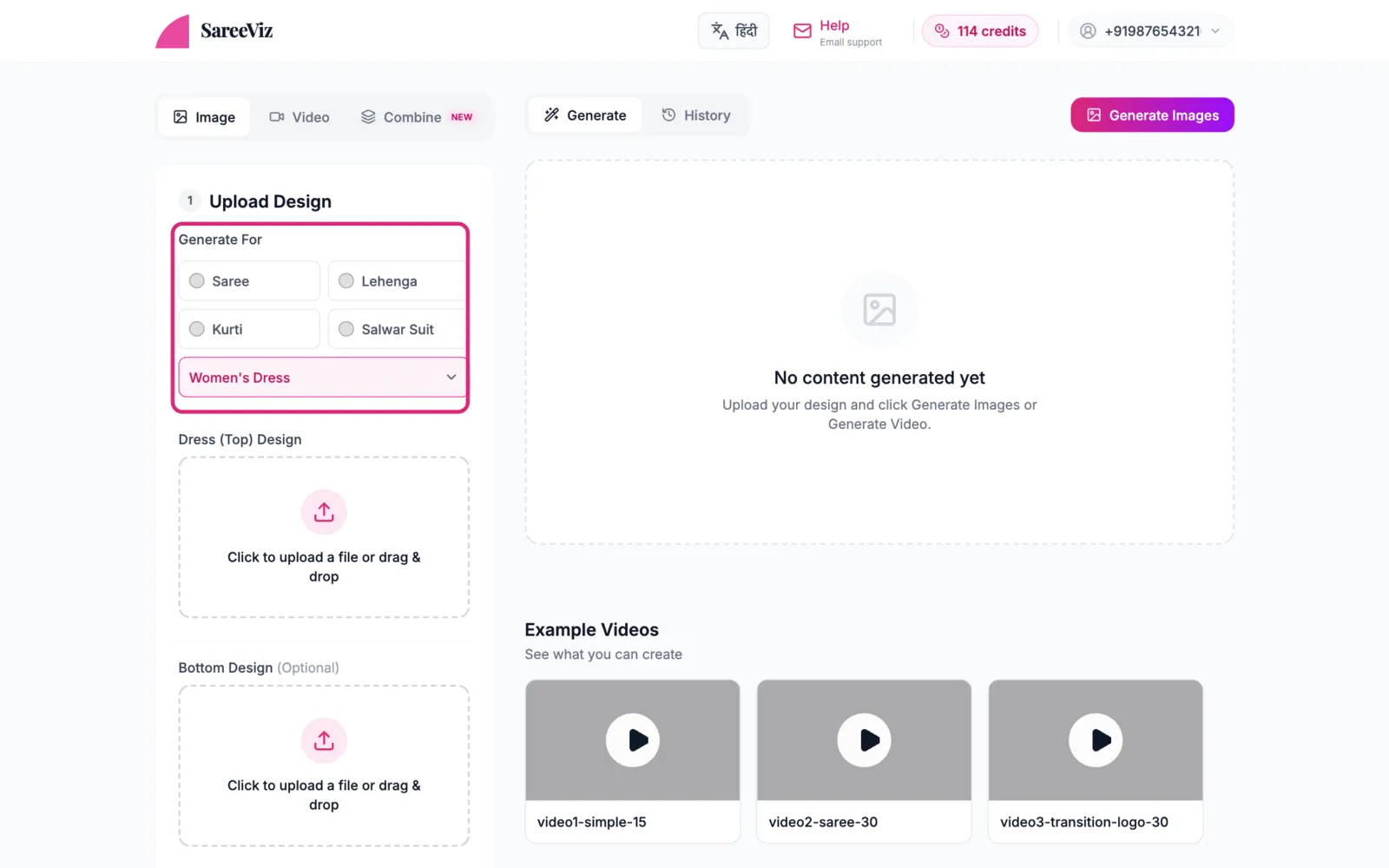
A dress photo, with optional bottom and back design slots.
Choose the dress and upload
Pick Women’s Dress or Men’s Dress under More. Your choice shows in the Generate For box. Add your photo in the main slot: Dress (Top) Design for women’s, Top Design for men’s. Bottom Design sits below it, for the bottom wear if it has its own design.
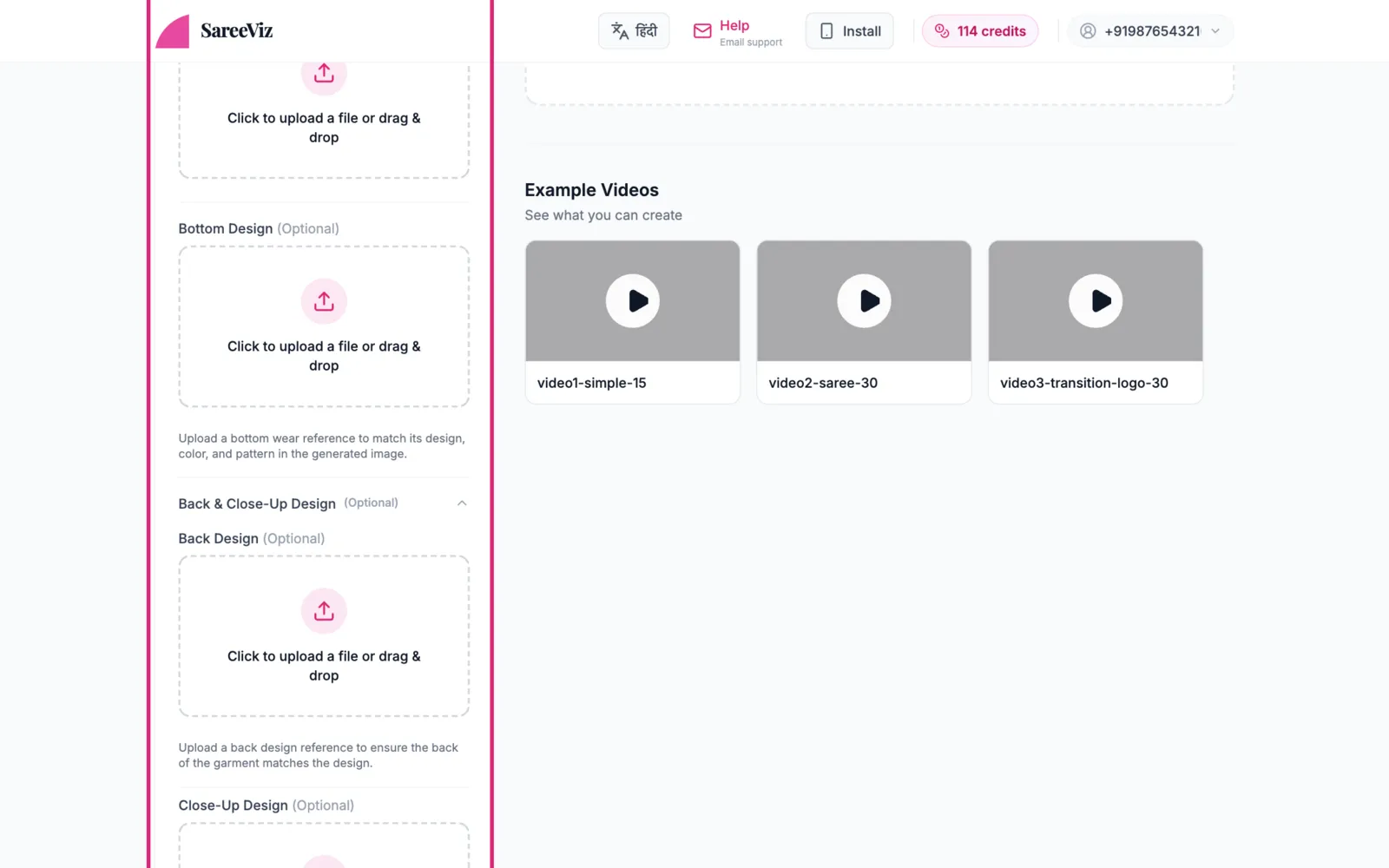
Back designoptional
If the back of the dress has its own design (common for women’s wear), open Back & Close-Up Design and add a back photo in Back Design so the AI doesn’t invent one.
Making a back pose? Open Back & Close-Up Design, upload only the back photo in Back Design and leave the main slot empty. With the front photo in as well, the AI can copy front details onto the back.
Pick the style
Under AI Instructions, a dropdown tells the AI what kind of garment it is:
- Men’s Dress Style: Shirt & Pant (the default), Jodhpuri Suit, Western Suit, Indo-Western Suit, Jacket or Sweatshirt
- Women’s Dress Style: Top (the default), One-Piece Dress / Gown, Jumpsuit, Co-ord Set, Jacket or Sweatshirt
Pick the one that matches your piece.
Everything else
Model, background & pose · Settings · Branding