AI Jewelry Photography: Best Tools for Jewelry Brands (2026)
A traditional jewelry shoot of 30 to 40 pieces runs ₹17,000 to ₹42,000 by our estimate below. AI tools now generate professional on-model jewelry images from ₹10 each. Here are the top 6 tools tested and ranked for Indian jewelry brands, with honest notes on metallic rendering, gemstone accuracy and marketplace compliance.
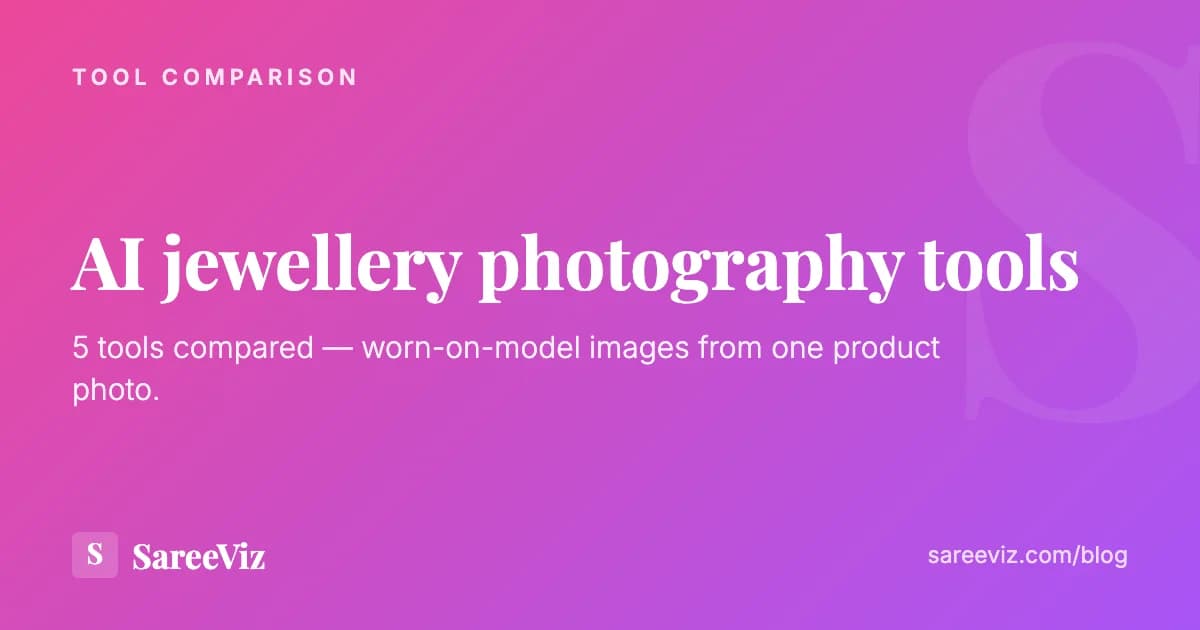
The kind of image this article is about: jewellery worn on an AI model, generated from a product photo.
Quick Summary
- SareeViz: best for ethnic jewelry brands. Supports jewelry and apparel. South Asian models, from ₹10/image.
- Photta: jewellery and clothing models on every paid plan, from $14 a month.
- Photoroom: best for product-on-white jewelry images. Excellent background removal.
- Claid.ai: best for multi-category brands covering jewelry, apparel and accessories.
- ChitromAI: jewelry is one of its own categories. INR credit packs from ₹299, at ₹14 to ₹269 an image.
- LightX: for testing jewelry AI photography at small scale. INR pricing, from ₹199 for a 200-credit pack.
Why jewelry photography is harder than apparel photography
Jewelry presents unique challenges that make both traditional and AI photography more demanding than apparel:
If you sell clothing alongside jewellery, the apparel side is more forgiving. See AI photoshoot for clothing brands for that process, or our AI jewellery photography page to see the output.
Metallic sheen and reflectivity
Gold, silver, and plated metals reflect light differently from fabric. Traditional photographers use ring lights and specific angles. AI must simulate this accurately.
Gemstone colour and clarity
Rubies, emeralds, and diamonds must appear accurate in colour and show appropriate sparkle without looking artificial.
Fine detail visibility
Filigree work, micro-settings, and fine chain links require sharp detail rendering that generic AI tools may blur or simplify.
On-model placement
A necklace on a model must sit naturally at the right neck height. Earrings must align correctly with the ear lobe. This requires specialized model training.
The best AI jewelry photography tools are trained specifically on these characteristics. A general-purpose AI image tool will not render a Kundan necklace accurately. You need a tool with jewellery-specific training data.
On-model vs flat-lay for jewelry: which to use?
| Jewelry Type | Recommended | Reason |
|---|---|---|
| Necklaces (all types) | On-model | Buyers need to see how it sits on the neck: length, layering, drape |
| Earrings (jhumkas, studs, hoops) | On-model | Frame-of-face context essential for earrings |
| Maang tikka / headpieces | On-model | Must be seen in context on a face to convey beauty |
| Bangles / bracelets | Both | On-wrist for styling context, flat-lay for detail shots |
| Rings | Flat-lay (on hand) | On-finger placement is tricky for AI; a styled hand shot works better |
| Anklets (payal) | On-foot or flat-lay | On-ankle shots are niche; flat-lay often more practical |
| Sets (necklace and earrings) | On-model | Shows how the full set looks together, which is key for bridal collections |
The 6 best AI jewelry photography tools (2026)
SareeViz
Best for ethnic jewelry brands: necklaces, earrings, bangles
₹10 at 1K up to ₹25 at 8K per image
SareeViz supports jewelry as well as apparel on the same platform, making it the ideal choice for Indian ethnic wear brands that sell both sarees and jewelry. Place necklaces, earrings, maang tikkas, and bangles on South Asian models with accurate skin tone and lighting. Pay per image, with no subscription: ₹10 at 1K up to ₹25 at 8K, plus 18% GST.
Strengths
- Handles both jewelry and apparel on one platform
- South Asian models with accurate skin tones
- INR pricing, no subscription
- Output meets marketplace requirements
- Perfect for brands selling jewelry with ethnic wear sets
Limitations
- Not purpose-built exclusively for jewelry
- No macro close-up mode for fine jewelry detail
Photta
Best for jewellery and clothing models on one subscription
From $14/month or $140/year
Photta puts products on AI models, and every paid plan includes both its AI Jewelry Fashion Models and its AI Cloth Fashion Models, along with a clothes changer and virtual try-on. Plans are monthly or yearly: Hobby is $14 a month or $140 a year for 30 photos a month, rising through Seller ($29) and Brand ($79) to Studio at $249 a month for 1,000 photos. Visitors from India see rupee prices, from ₹799 a month.
Strengths
- Jewellery and clothing models on every paid plan
- Monthly or yearly billing, from $14 a month
- Virtual try-on and a clothes changer included
Limitations
- A subscription, so the meter runs in months you shoot nothing
- No South Asian model focus advertised
Photoroom
Best for clean background and product-on-white jewelry images
From $12.99/month
Photoroom has a dedicated jewelry product photography page, and its tools generate consistent white or neutral backgrounds. Best for Amazon-style product-on-white images where the jewelry floats on a clean background. Not as strong for on-model jewelry shots but excellent for the flat product view.
Strengths
- Best-in-class background removal for jewelry
- 80M+ users by its own count, so it is proven at scale
- Preserves metallic sheen accurately
- Fast batch processing
Limitations
- USD pricing
- Stronger for product-on-white than on-model
- Generic model library
Claid.ai
Best for multi-product brands mixing jewelry and apparel
From $9/month billed yearly, $15 monthly
Claid offers two modes for jewelry: Precise mode (locks jewelry position and angle for marketplace catalog shots) and Creative mode (changes perspective, lighting, and angle for editorial variety). Good for brands that sell across multiple product categories and want a single platform.
Strengths
- Precise and Creative mode for different use cases
- Multi-category platform
- Strong metallic and gemstone rendering
Limitations
- USD pricing
- No South Asian model focus
- No ethnic jewelry specialisation advertised
ChitromAI
Best for jewelry on INR credit packs with published rates
₹14 to ₹269 per image by pack
An AI product photography studio that treats jewelry as one of its own categories, alongside clothing (western, ethnic and indo-western), cosmetics, footwear, bags, furniture, lighting and kitchenware. One product photo produces model photoshoots, catalogue images and 16-second 9:16 marketing reels with Hindi, Gujarati or English voiceovers. Sold as credit packs from ₹299 for 59 credits up to ₹5,699 for 5,000, with credits per image falling as the pack grows: a regular image, which is 1K, costs ₹106 on the ₹299 Trial pack down to ₹14 on the biggest, 2K runs ₹172 down to ₹24 and 4K ₹269 down to ₹35. Its pricing page does not mention GST.
Strengths
- Jewelry is one of its listed categories, not an apparel afterthought
- INR credit packs from ₹299, with credits per image published for every pack
- Output up to 4K
- 16-second marketing reels with Hindi, Gujarati and English voiceovers
Limitations
- The ₹299 pack works out at ₹106 per 1K image; the ₹14 rate needs the ₹5,699 pack
- Generated files auto-delete after 10 to 20 hours depending on the pack
- No 8K, and no macro close-up mode advertised
LightX
Best for testing jewelry AI photography at small scale
₹199 for 200 credits; Pro from ₹408/month yearly
LightX is a broad AI photo editor with an AI jewelry photoshoot tool among its features, priced in rupees. A ₹199 pack buys 200 credits, which it says is up to 50 images, and never expires; Pro is ₹999 a month, or ₹408 a month billed ₹4,900 yearly, for 1,000 credits a month, up to 500 images. Good for brands testing whether AI photography works before committing to volume.
Strengths
- INR pricing, with a ₹199 credit pack to start
- Works for necklaces and earrings
- No technical skills required
Limitations
- Credits per jewelry image not published
- A general photo editor rather than a jewelry specialist
- No South Asian model focus advertised
Competitor prices as of 29 September 2026, from each tool's own pricing page: photta.app/pricing, photoroom.com/pricing, claid.ai/pricing, chitromai.com/pricing and lightxeditor.com/pricing. ChitromAI's “regular” image was checked inside the product on 15 September 2026 and is 1K. Prices change, so check the page before you buy.
Tips for better AI jewelry photography input
Whichever tool you pick, the input photo decides most of the output. Our jewellery upload guide covers this piece by piece; these are the rules that matter most.
Clean jewelry before photographing, removing fingerprints and polishing it
Fingerprints and tarnish are captured in the input and reproduced in the AI output.
Use diffused light: a lightbox, a ring light, or a window with a white curtain
Diffused light eliminates harsh reflections while letting metal's natural sheen show.
Place jewelry on a velvet tray or white foam for flat-lay shots
A stable, clean surface prevents movement and gives a professional background.
Photograph the full piece, without cropping pendant or earring details
AI needs the complete jewelry context to accurately place it on a model.
Don't photograph on patterned or dark fabric backgrounds
Makes AI garment isolation much harder and reduces output quality.
Don't use flash directly on jewelry
Direct flash kills metal sheen and produces harsh white blowout on gold and silver.
Cost comparison: Traditional vs AI jewelry photography
Traditional Jewelry Shoot (our estimate)
AI Photography (SareeViz)
The per-image rate depends on the resolution you choose, so check SareeViz pricing before you budget a full catalogue.
Frequently asked questions
Can AI photography accurately show jewelry metallic sheen and gemstone clarity?
Yes, in most cases. AI jewelry photography tools now accurately render gold, silver, and rhodium-plated finishes. Gemstone clarity and colour are well-represented for standard marketplace photos. For ultra-fine micro-setting work or complex multi-stone pieces, traditional macro photography may still be necessary for product-detail shots.
What types of jewelry work best with AI photography?
Necklaces, earrings, bangles, and maang tikkas work excellently with AI on-model photography. Rings are more challenging because finger placement must look natural. Small pendants and delicate chains work well for flat-lay AI (background replacement) but are trickier for on-model shots. Large statement pieces (chokers, jhumkas, nathnis) photograph best with AI.
Should I use on-model or flat-lay AI photography for jewelry?
On-model AI images perform better in click-through rates for wearable jewelry like necklaces, earrings and bangles, because buyers need to see how it looks when worn. Flat-lay or product-on-white is better as a secondary image for detail shots or for rings and bracelets where product structure is the focus.
How do I prepare jewelry for AI photography input?
Photograph jewelry against a white or light grey surface. Clean the jewelry before shooting. Fingerprints and tarnish are visible in the input and will appear in the AI output. Use diffused natural light or a macro ring light to eliminate harsh shadows. Keep pieces flat or at a consistent angle.
Can I use the same AI tool for jewelry and sarees?
SareeViz supports both jewelry and apparel on the same platform, which is ideal for Indian ethnic wear brands that sell matching saree-jewelry sets. You can generate model images for both the saree and the jewelry set in the same session, from 1 credit per image each; the pricing page has the rupee price of each credit pack.
Are AI jewelry photos accepted on Meesho and Amazon India?
Yes. Both platforms accept AI-generated product images for jewelry listings, provided they meet image quality requirements: clear white or neutral background option, minimum resolution, and accurate product representation. SareeViz output meets these requirements.
The bottom line
For Indian ethnic jewelry brands, whether they sell Kundan sets, Meenakari necklaces, temple jewelry or contemporary gold-plated pieces, SareeViz provides the most practical option: South Asian models who reflect your buyers, INR pricing, and support for both jewelry and apparel on a single platform. What it does with each of those families, and what a worn shot answers that a flat lay cannot, is set out on our on-model jewellery photography page.
For brands that want jewellery and clothing models on one USD subscription, Photta covers both on every paid plan. For brands that need product-on-white images for Amazon, Photoroom's background removal is best-in-class. If you also sell clothing and want it on a model, our Photoroom alternatives guide compares the on-model tools.
The cost gap is wide whichever tool you choose. Our estimate above works out at ₹425 to ₹1,400 a piece for a traditional shoot (₹17,000 across 40 pieces, ₹42,000 across 30). On SareeViz a 4K image is ₹20 before GST, so even three attempts at every piece comes to ₹60.
Worth knowing how sellers actually work with these tools: in our analysis of 207,556 catalogue images, roughly one generation in three produces an image the seller keeps and lists. Budget for a few attempts per product rather than expecting the first one to be the final one.
Try It Now
Create professional jewelry model photos, from ₹10 each
SareeViz handles jewelry and ethnic wear. Upload your product, select a South Asian model, download your image. No subscription.
Try SareeViz Free →