Photoroom Alternatives for Clothing and Saree Sellers (2026)
Photoroom says its API handles over three million images a day, for companies including Decathlon, Depop, Wolt and Mercari. It is very good at what it does. If you are looking for a Photoroom alternative as a clothing seller, the useful question is whether you need a cleaner photo of the product, or a person wearing it.

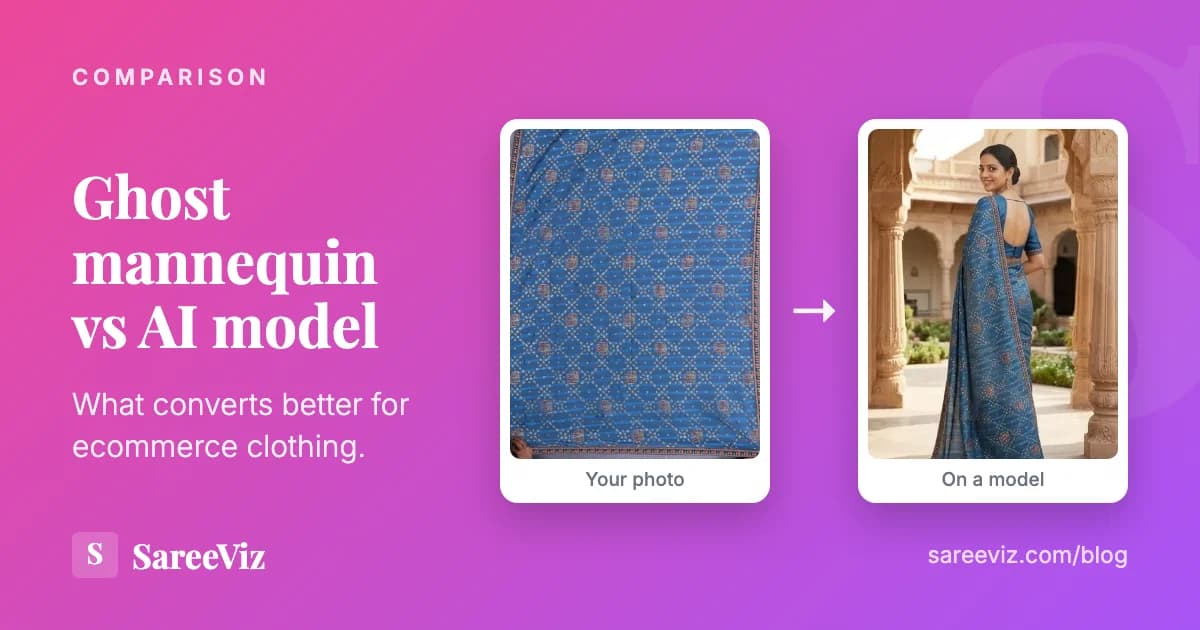
The on-model job: a phone photo of the dress in, the dress on a model out.
What Photoroom does well
Photoroom is a lot more than a background remover. The tools menu on its pricing page lists AI backgrounds, AI Fashion Models, a ghost mannequin tool, flat lay, unwrinkling, clothing recolour, resizing for any format, batch processing that edits thousands of images at once, and an API.
For a seller photographing shoes, bags, cosmetics or kitchenware, that breadth is hard to beat, and batch processing matters once a catalogue runs into hundreds of products.
On price, as of 28 September 2026, Photoroom lists three paid plans:
- Pro: $12.99 a month or $89.99 a year ($7.50 a month billed yearly), with 8,000 AI credits and 1,000 exports.
- Max: $34.99 a month, or $20.99 a month billed yearly.
- Ultra: $99 a month, or $82.50 a month billed yearly. 4K image resolution is on Ultra only.
There is a free plan, but Photoroom's help centre says it limits exports and AI generations and cannot be used commercially.
Where a garment-on-model tool is different
Photoroom does put clothes on models: its AI Fashion Models page describes uploading product images to see them “worn by realistic virtual models”, in 2K and 4K. So the difference is not that one can and the other cannot. It is what the tool is built around.
A general tool is built around one product in one photo. Indian ethnic wear often breaks that rule. A saree is two garments, the drape and the blouse piece, and they come as two photos that have to end up as one outfit, pleats, pallu and border in the right places.
In our study of 207,556 catalogue images, 69.2% of saree jobs included a blouse uploaded separately, so this is the normal case rather than an edge case. Salwar suits and lehengas have the same problem in a different shape.
The other difference is the output. A catalogue is uploaded to a marketplace with its own rules, and a specialist tool can set those for you: Amazon, for example, wants a pure white main image on a standing model, and our Amazon product photography page shows how a preset handles that.
If your problem is the background, a general editor is the right tool. If your problem is that nobody is wearing the garment, look at the on-model tools below.
6 Photoroom alternatives for clothing sellers
SareeViz
Best for: Sarees and Indian ethnic wear on a model
Our own tool, so weigh this entry accordingly. SareeViz takes a phone photo of a garment and puts it on an AI model.
It was built for Indian ethnic wear: a saree and its blouse piece are uploaded as two photos and worn as one outfit, and marketplace presets set the poses, background and size for Myntra, Amazon, Flipkart and Meesho. It also does sarees, lehengas, kurtis, salwar suits, menswear, dresses, innerwear and jewellery.
Pricing: Pay per image with credits, no subscription: ₹9 at 1K to ₹22 at 8K per image, plus 18% GST. 5 free credits on signup. Credits are only taken for images that generate successfully and expire 90 days after purchase. Full table on the pricing page.
Good at
- Saree plus separate blouse piece, draped as one outfit
- Marketplace presets for Myntra, Amazon, Flipkart and Meesho
- Rupee pricing with a GST invoice, up to 8K
Worth knowing
- Built for garments on models, not a general photo editor like Photoroom
- Credits expire 90 days after purchase
DrapeIt (Drape.Studio)
Best for: Rupee prepaid packs and a WhatsApp workflow
Pricing: Starter ₹540 for 40 images at 1K or 27 at 2K; Value ₹1,440 for 120 at 1K or 80 at 2K; Super Value ₹3,000 for 270 at 1K or 180 at 2K. Prepaid with no automatic renewal, and unused balance rolls over. Free trial of up to 3 images at 1K or 2 at 2K, no card needed.
Good at
- Rupee packs, prepaid, nothing recurring
- WhatsApp access for phone-first sellers
- Unused balance rolls over to the next top-up
Worth knowing
- Packs are priced for 1K and 2K only; no 4K is listed
FASHN
Best for: A wide set of fashion AI tools in one place
Pricing: Basic $19 a month for 200 credits, Pro $49 for 750 credits plus 50 daily bonus credits, Agency $99 for 1,500 plus 100 daily. Most tools cost 1 credit per output, more at higher resolutions. 10 free credits to start; yearly billing gives roughly two months free.
Good at
- On-model, try-on and packshot tools under one plan
- Up to 4K image generation
- 10 free credits to test
Worth knowing
- Monthly subscription in US dollars
- Credit cost rises with resolution
Botika
Best for: Brands that want a light-touch retouching service included
Pricing: Pro is $55 a month billed monthly, or $46 a month billed yearly, with 600 credits a year at 2K. One photo is 1 credit and one video 5 credits. Free trial available. Higher tiers add 4K and retouching.
Good at
- On-model photos from phone, supplier or customer photos
- Short video clips from the same credits
- Retouching on the higher tiers
Worth knowing
- Processing takes around 15 minutes per image
- Pro is 2K; 4K needs a higher tier
Photta
Best for: Clothing and jewellery on AI models, billed yearly
Pricing: Billed yearly: Hobby $140 a year for 30 product photos a month, Seller $290 for 100 a month, Brand $790 for 300 a month, Studio $2,490 for 1,000 a month. Free to start, no credit card required.
Good at
- Clothing and jewellery models on every plan
- Monthly photo allowance is stated plainly
- Free start without a card
Worth knowing
- Best rates need a yearly commitment in US dollars
Pixelcut
Best for: The closest match to Photoroom's core editing tools
Pricing: Free plan with limited background removal and exports without a watermark. Pro $10 a month, or $8 a month billed yearly, with unlimited background removal, 600 AI credits and 1,000 batch exports a month. Business $30, or $24 billed yearly, with 3,600 AI credits.
Good at
- Unlimited background removal on Pro
- Free exports without a watermark
- Batch exports for whole catalogues
Worth knowing
- No AI fashion model feature listed on its pricing page
Photoroom and the alternatives side by side
| Tool | Main job | How you pay | Cheapest paid entry |
|---|---|---|---|
| Photoroom | Editing suite, plus AI fashion models | Monthly or yearly, USD | $12.99 a month |
| SareeViz | Garments on models, ethnic wear first | Credit packs, INR, no subscription | ₹100 for 10 credits |
| DrapeIt | Garments on models | Prepaid packs, INR | ₹540 pack |
| FASHN | Fashion AI suite | Monthly, USD | $19 a month |
| Botika | Garments on models | Monthly or yearly, USD | $46 a month billed yearly |
| Photta | Clothing and jewellery on models | Yearly, USD | $140 a year |
| Pixelcut | Background removal and editing | Monthly or yearly, USD | $8 a month billed yearly |
Prices as listed on each tool's pricing page on 28 September 2026, before any tax. They change, so check before you buy.
How to choose
Start from the photo you want at the end, not the tool. If it is your product on a clean background, stay with Photoroom or move to Pixelcut, and spend the savings elsewhere. If it is a person wearing the garment, compare the on-model tools on these points:
- Whether they handle the garments you actually sell.
- How the price works at your volume.
- Whether the output fits the marketplace you list on.
For volume, do the sum at your own catalogue size. A monthly plan suits a steady flow of new stock; a prepaid or pay-per-image model suits sellers whose new designs arrive in bursts around festivals and seasons. Our product photography cost guide works through a 50-design catalogue if you want a template.
Our AI saree photography tools ranking, listed under Related reading below, compares more Indian tools on per-image price. Most of these tools have a free trial, so run the same garment through two or three of them before you pay. For the upload itself, the photo prep guide applies to any of them.
Frequently asked questions
What is the best Photoroom alternative for clothing?
It depends on the job. If you use Photoroom for background removal and batch edits, Pixelcut is the closest like-for-like tool. If you want the garment shown on a person, an on-model tool such as SareeViz, FASHN, Botika, Photta or DrapeIt fits better, and for sarees and Indian ethnic wear SareeViz was built for exactly that case.
Is Photoroom free?
Photoroom has a free plan, but its help centre says free exports and AI generations are limited, and that you cannot use the free plan for commercial use. Selling products counts as commercial use, so sellers need a paid plan, from $12.99 a month or $89.99 a year for Pro.
Does Photoroom put clothes on models?
Yes. Photoroom's AI Fashion Models feature shows products on virtual models in 2K and 4K, and it is included on its paid plans; 4K image resolution needs the Ultra plan. Where a specialist tool differs is in garments made of separate pieces, like a saree and its blouse, and in marketplace-specific output.
Which Photoroom alternative prices in rupees?
Of the tools in this list, SareeViz and DrapeIt publish rupee prices. SareeViz sells rupee credit packs with a GST invoice for purchases in India, and DrapeIt sells rupee prepaid packs. The others publish US dollar prices.
Sources
Competitor prices read 28 September 2026.
- Photoroom: pricing and plans: tools menu, Pro, Max and Ultra prices, 4K on Ultra only
- Photoroom help centre: what are Photoroom's plans: free plan limits, no commercial use
- Photoroom: AI Fashion Models: products on virtual models in 2K and 4K
- DrapeIt: pricing
- FASHN: pricing
- FASHN: Packshot
- Botika: pricing
- Photta: pricing
- Pixelcut: pricing
Try It Free
See your saree on a model with 5 free credits
Upload the saree and the blouse piece, and get one on-model photo of the whole outfit.
Try SareeViz Free →